A note on where we stand: this is a general explainer on distributed computing as an engineering concept, grounded in real-world examples across the industry. Incredibuild builds a distributed build and test acceleration platform, and it shows up as one example near the end, alongside open-source alternatives, not as the frame for the whole explanation.
The Short Version
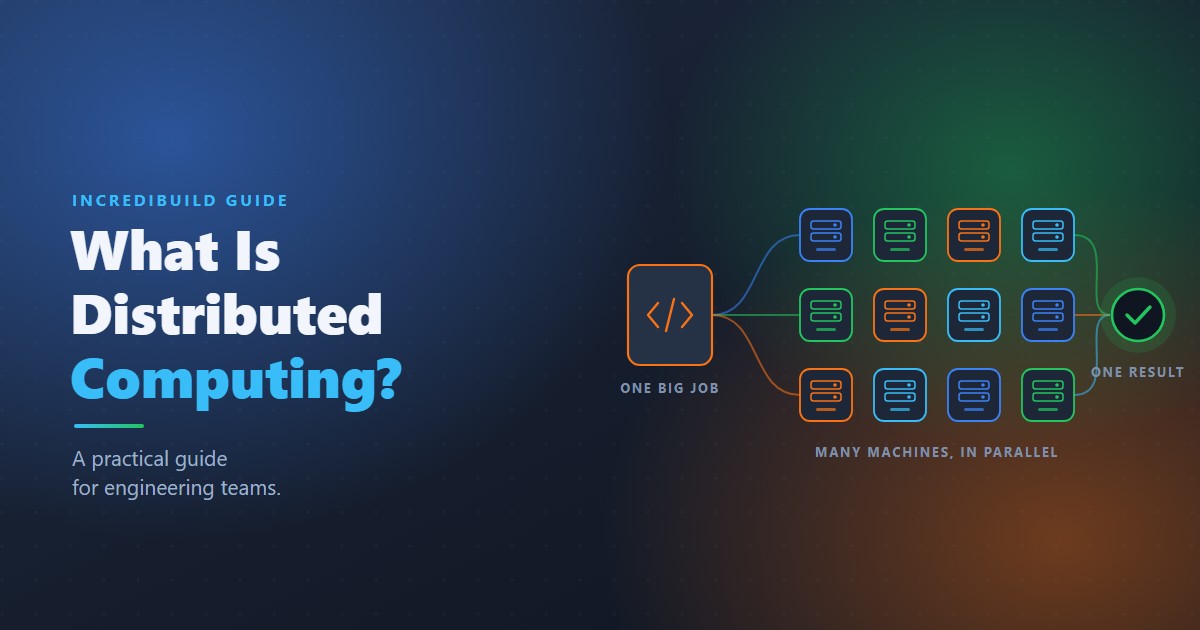
A codebase at a mid-sized game studio we’ve talked with used to take long enough to compile that engineers would start a build before lunch and come back to see if it finished. That’s distributed computing’s whole reason for existing, in one sentence: some jobs are too big for one machine to finish in a reasonable amount of time, so the job gets split across several machines that talk to each other over a network and hand back partial results that get stitched into one answer. IEEE’s technology reference puts it more formally, as a computational paradigm in which a problem is solved by coordinating the work of multiple autonomous computers communicating over a network rather than relying on a single centralized processor. Same idea, dressed up for a standards body.
What makes that hard, and it genuinely is hard, comes down to one word in the formal definition: autonomous. Every machine in the system keeps its own memory and runs on its own clock, and none of them ever has a complete view of what the others are doing at any given moment. A single computer doesn’t have this problem. It has one clock, one memory space, and one failure mode, running or not running. The moment a second machine joins over a network, three separate problems show up at once, and Wikipedia’s overview of the field names them directly: staying correct while components run concurrently, coordinating without a shared clock, and surviving a machine that fails on its own without taking the rest of the system with it. That’s also roughly the line where a project stops being ordinary software engineering and starts needing its own body of theory.
Parallel and Distributed Get Confused Constantly, and Shouldn’t Be
Here’s the distinction that actually matters day to day. If you run “make -j32” on a 32-core workstation, every core is compiling against the same file system at the same instant, sharing the same memory, and nothing is going over a network. That’s parallel computing, and it’s a solved, well-understood problem. Take ten separate workstations scattered around an office, have each one compile a different piece of the same codebase, and have them push finished object files into a cache the rest of the team pulls from. Now you’ve got separate machines, separate memory, and the only connection between them is messages sent over a wire. That’s distributed computing, and it introduces an entire category of failure that parallel computing never has to think about: what happens when one of the ten workstations drops off the network mid-job.
Answering that question is what consensus protocols exist for. Getting a set of machines with no shared memory to agree on something (which node is in charge, whether a write actually committed) is its own hard problem, and Paxos and Raft are the two protocols most commonly trusted to solve it without a single point of failure. Almost nobody writing application code touches either one directly. They’re usually running quietly underneath whatever distributed database or configuration store the application depends on, and the tradeoff they’re built around has a name too, the CAP theorem: a distributed data store gets at most two of three things at once, full consistency, full availability, and tolerance of a network partition.
This Isn’t a New Idea, and It’s Already Running Under Your Build
Long before anyone talked about the cloud, SETI@home was splitting radio-telescope data into work units small enough to run in the background on an ordinary home PC, and Folding@home later did the same for protein folding, both using millions of volunteers’ idle CPU cycles instead of any centrally owned cluster. Google’s 2004 MapReduce paper took the same underlying idea and turned it into the template a huge share of today’s big-data infrastructure still runs on: cheap, individually unreliable machines working through an enormous dataset together, with the software handling the failures. Content delivery networks apply a smaller version of that same logic to something more mundane, caching a file on servers scattered around the world so a request from Tokyo doesn’t have to cross an ocean to reach a single origin server. None of these systems look alike on the surface, some route through a central server, some have no center at all, some just push processing closer to wherever the data shows up, but they’re all answering the same underlying question about how to get more than one machine to solve one problem together.
The version most engineering teams actually live inside, though, is their own build pipeline, and most of them don’t think of it in these terms at all. A large codebase can carry thousands of files that need compiling, linking, testing, and packaging on every change, and running that on one laptop or one CI runner doesn’t slow down gently as the codebase grows. It compounds, because more engineers committing more code more often adds up to more redundant work stacking behind the same fixed machine.
That compounding is a bigger problem in 2026 than it was five years ago. GitHub’s 2025 Octoverse report recorded close to a billion commits and an average of 43.2 million pull requests a month across its platform, both up sharply year over year, with AI coding assistants named as a direct driver of that growth (github.blog has the full report). Tooling sized for a team writing and reviewing code by hand doesn’t automatically scale just because the same team, now working alongside AI assistants, is generating and submitting changes several times faster. The build and CI layer doesn’t get faster on its own because code arrives faster; it queues up behind the same fixed compute it always had, and that queue grows non-linearly with commit volume rather than tracking it one to one.
Atlassian’s own developer-experience research backs this up from the people side. Its 2025 survey found developers losing eight hours or more a week, about a fifth of a working week, to inefficiencies across their workflow, and modeled the cost of that at roughly $7.9 million a year for a 500-developer organization (details at atlassian.com/blog/developer/developer-experience-report-2025). That figure covers workflow friction broadly rather than build infrastructure specifically, but the underlying math holds either way: paid-for capacity that isn’t doing useful work costs money, whether that capacity is a developer’s afternoon or a rack of idle servers. Adobe is a documented example of what fixing that can look like at the higher end: a build that used to take seven and a half hours dropped to fifteen minutes after moving from a single-machine compile to a distributed system, according to Incredibuild’s own case studies. The bigger surprise for most teams going through that kind of change isn’t the raw speed gain, it’s discovering how much of the original seven and a half hours was spent recompiling code nobody had actually touched.
What a Rollout Like This Usually Gets Wrong
The story we hear most often from engineering leaders going through this starts the same way: a team decides its builds are too slow, and the first instinct is to throw more machines at the problem. That’s usually the wrong first move. Before adding compute to a cluster or a build grid, it’s worth checking the actual cache hit rate on the workload; a hit rate under roughly 50 percent on a codebase that hasn’t changed much in the last week points to a configuration problem, not a compute problem, and a bigger cluster just buries that redundancy under more hardware instead of fixing it. One team we’ve talked with made exactly this mistake, doubled their build cluster, and watched their wait times barely move, because the thing eating their time was recompiling headers nobody had touched, not a shortage of cores.
The next thing teams misjudge is what belongs on the network in the first place. A task that runs in two seconds locally but ships two gigabytes of intermediate files across the wire can lose more time in transfer than it ever saved by running in parallel, and the only real fix is profiling each task before assuming it should be distributed, not after the cluster is already built around that assumption. And the failure mode that catches teams off guard latest in the process is treating a distributed job as fire-and-forget. A single machine either finishes a task or it doesn’t. A distributed job can have one node quietly drop mid-task while the rest keep running, and if nothing was built to detect and retry that cleanly, the failure stays invisible until someone notices a result is missing or simply wrong. Deliberately killing a node mid-job in staging, before it happens by accident in production, is the one test that actually catches this ahead of time.
The Free Options, What They Cost You, and When to Skip All of This
None of this requires paying anyone. ccache and sccache will cache compiler output locally or on a shared server without touching how work actually gets distributed, and for a team that’s mostly fighting redundant recompiles rather than raw capacity, that alone can close most of the gap. Teams that need real distribution usually reach for distcc or Icecream next, which spread compilation jobs across a static set of helper machines, though every one of those machines needs the exact same toolchain installed by hand. Bazel goes further still and adds full remote execution and caching, but it asks a team to rebuild its build graph around Bazel’s own paradigm, which on an existing large C++ or mixed-language codebase can mean months of script rework before any of it pays off. All of these are legitimate choices, and plenty of teams run them well. What they share is that none of them dynamically reclaim idle capacity the way a harvesting model does, and whoever configures the setup first tends to own its maintenance indefinitely, with no vendor on the other end of a support ticket.
Distributed computing doesn’t automatically make anything cheaper, either. Moving a workload to the cloud buys more capacity, but the bill scales up right alongside it, and none of that spend removes the redundant work sitting inside the workload, it just gives that redundant work more machines to run on at a higher hourly rate. The mirror-image mistake is just as common and shows up nowhere on a dashboard: on-prem hardware that’s already paid for sits idle overnight and on weekends while the same team pays separately for cloud burst capacity during the day, because nothing is coordinating the two pools of compute against each other.
None of this is worth doing for every team. A monorepo with a multi-hour build, a CI pipeline with dozens of jobs queued behind a handful of runners, a simulation that needs more memory than any single box offers, those are genuine candidates. A five-person team shipping a service with a ninety-second build almost certainly isn’t, because the coordination and failure modes a distributed system introduces will cost more than they save at that scale. The number worth watching isn’t codebase size, it’s wait time relative to headcount. Once engineers are routinely blocked on a build or test run long enough to switch tasks and lose their place, the problem has crossed from annoying into expensive.
Where This Goes Next, and Where We Fit Into It
Edge computing keeps pushing processing physically closer to wherever data originates, which matters for latency-sensitive work like autonomous vehicles and industrial IoT, and platforms like Cloudflare Workers and Fastly Compute are making it more practical to run distributed workloads at the edge that used to need a full data center. AI coding agents raise a narrower version of the same underlying problem: an agent writing and running code on its own needs a persistent, isolated environment that survives a dropped connection, which is its own distributed-systems challenge, distinct from build acceleration, with its own vendors and buyers worth a separate piece rather than a paragraph here. Further out, and this is a genuine guess rather than a forecast, scheduling in distributed systems may eventually shift from human-configured rules toward agents that renegotiate compute allocation on the fly, based on observed load, instead of the static thresholds most orchestration tools rely on today.
Our own products live inside the cluster and grid category described above: a shared cache that reuses any task’s output across every developer and CI server in an organization, and distributed processing that spreads uncached tasks across existing idle compute automatically, throttling down the moment someone sits at a helper machine to do their own work. It’s genuinely not the right fit for everything covered here. A small service with a two-minute build, or a workload actually bottlenecked on network transfer rather than compute, won’t see much from adding a distributed execution layer, and that team is better served by checking its cache hit rate than by buying any tool, including ours.
Distributed computing, underneath all of this, is a trade: give up the simplicity of one machine, one clock, one failure mode, and get access to scale you can’t reach any other way. Whether that trade is worth making has less to do with how big a codebase is than with how much time is genuinely being lost to waiting, and that’s the number worth checking before reaching for any architecture, open-source tool, or vendor at all.